Unlimited Stips
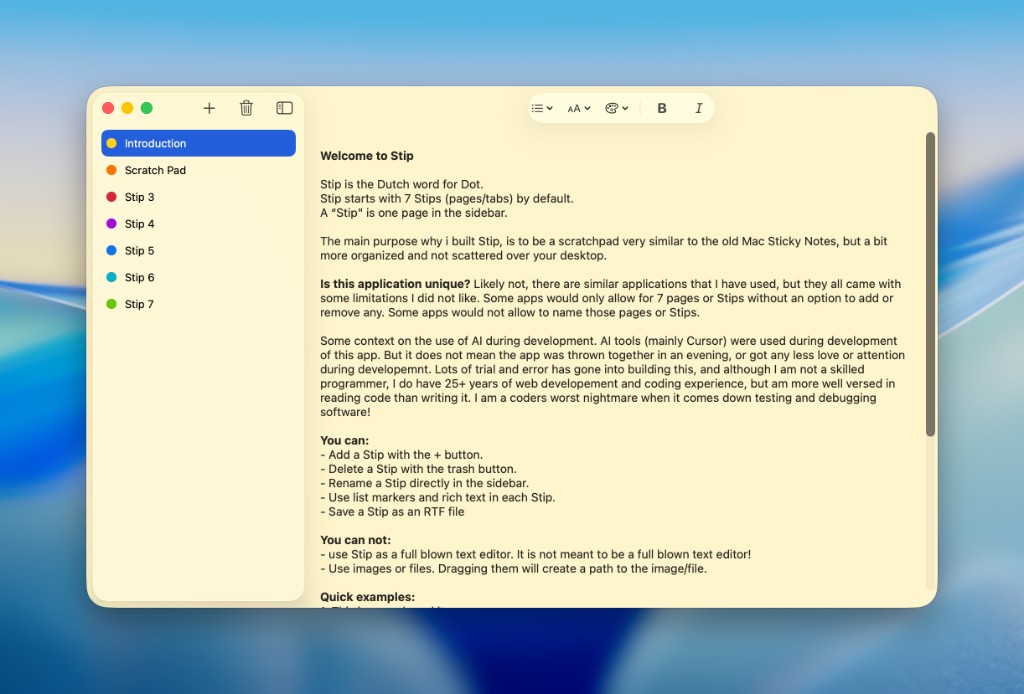
No cap at one pad, five pads, or seven. Create as many tabs as you need, each color-coded and easy to scan.
 Stip
Stip
Free on Mac and iOS
A free scratchpad for temporary notes, not a replacement for Apple Notes.
Unlimited scratchpad tabs for temporary notes that stick around until you're done. iCloud sync on Mac and iPhone. Checklists, lists, and plain text. Capture fast, file later, delete when finished. No subscription, no in-app purchases.
Stip is the in-between: more durable than a sticky note, less permanent than your real notes app.
No cap at one pad, five pads, or seven. Create as many tabs as you need, each color-coded and easy to scan.
Your scratch pads persist locally and sync across Mac and iOS. Pick up on another device after a reboot.
Toggle checkboxes, checkmarks, stars, circles, and more. Numbered lists, dashes, bold, and italic when you need structure.
No images or attachments. Paste a file path, URL, or command. Lightweight notes you can copy elsewhere when ready.
When you're setting up a server, debugging a deployment, or juggling half-formed ideas, jot down IP addresses, config snippets, paths, and to-dos, then move them to the right place and delete the Stip.
Start a Stip. Capture what you need. Move on when you're done.
Stip is the Dutch word for dot. Each tab in the sidebar is a stip: a small colored dot marking a scratch pad. Rename, reorder, color-code, and delete Stips when the job is done.